Verify a Certificate of Analysis
Enter the access code from your COA to verify its authenticity and view the full test results.
Enter Your Access Code
Find it below the QR code in the header of your COA
Where to Find Your Access Code
Look in the top-right header of your COA. The access code is printed in bold directly below the QR code, under "Scan to verify authenticity at ils-lab.com."
The access code also appears in the footer/signature area at the bottom of each page, labeled Access Code: next to the COA number.
The code is typically 7–8 characters (letters and numbers). Example: M2WSBTH
How COA Verification Works
Find Your Code
Look in the top-right header of your COA — the access code is printed in bold directly below the QR code. It's also in the footer next to the signature block.
Enter the Code
Type the access code into the field above. You can also scan the QR code on the COA with your phone camera for instant verification.
View Verified Results
See the authenticated test results, product information, and laboratory signatory details directly from our verified database.
Trusted, Tamper-Proof Results
All results are produced under our quality management system based on ISO/IEC 17025 with validated methods.
Tamper-Proof Records
Each COA is linked to a unique verification ID. Results cannot be altered after release.
Unique to Each Sample
Every certificate is tied to a specific sample with its own chain of custody and testing history.
Verified Certificate Preview
When you verify a COA, you will see the complete test results with the laboratory seal of verification, product details, and signatory information.
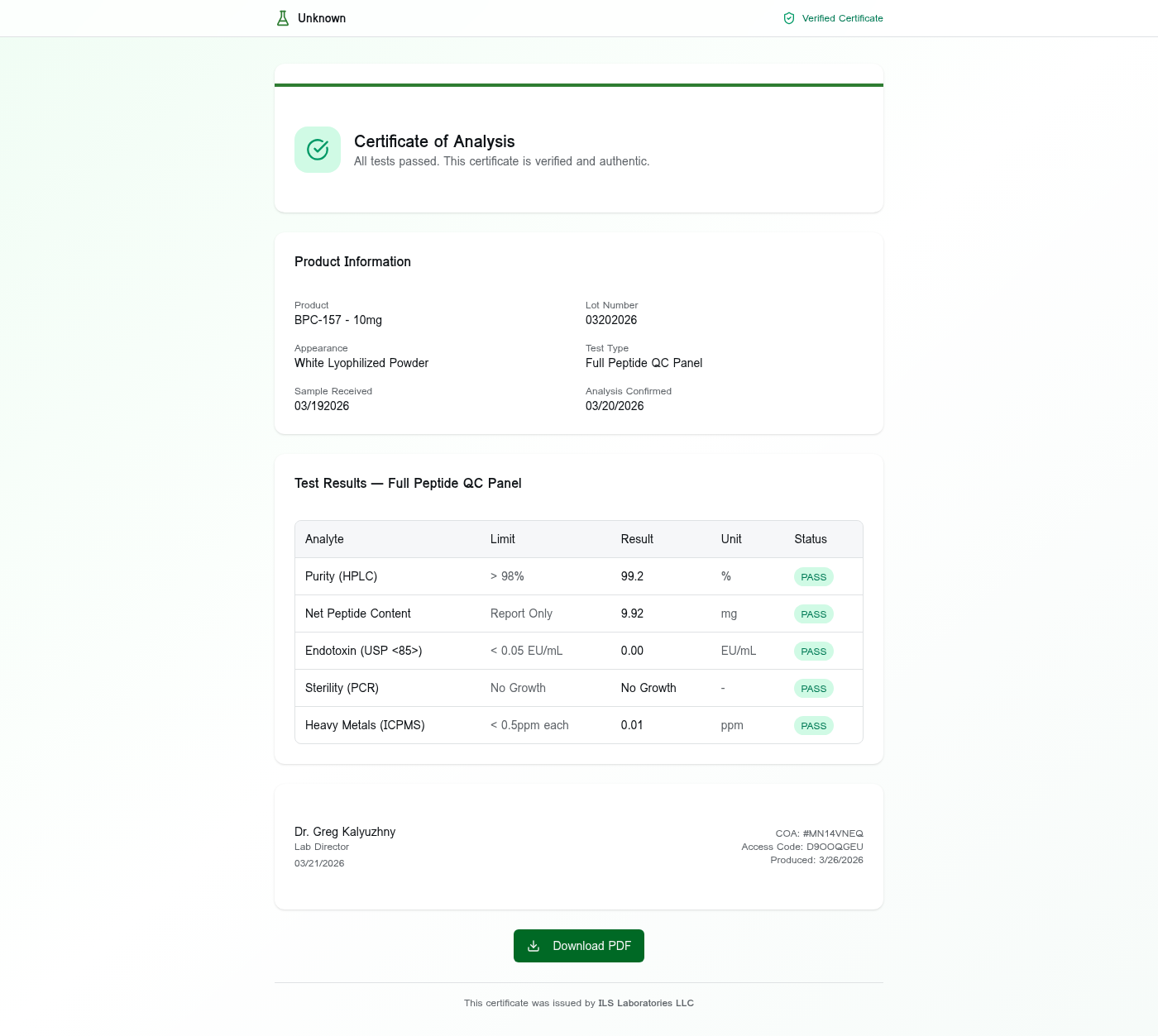
Example verification page showing a BPC-157 research peptide COA with all test results verified.